Roshan USSD Codes & My Roshan App
Roshan customers can manage their accounts in two simple ways: through the My Roshan app or USSD short codes. The My Roshan app lets users check their balance and data usage, buy bundles, top up, manage multiple accounts, and share credit. USSD codes are a convenient alternative, especially when you have no internet connection or are using a basic phone. Users can dial short codes to check their balance, purchase bundles, or share credit without consuming mobile data. For the most convenient experience, the My Roshan app provides a complete overview of your account and real-time usage. Since USSD codes and offers can change, customers should always verify the latest codes through the official Roshan app or FAQ page.

Roshan USSD Codes & My Roshan App: Check Balance, Buy Bundles & Share Credit
There are two simple ways to manage your Roshan account: the My Roshan app and USSD short codes you dial from your phone. The app is the easiest option — it lets you check your balance, see real-time data usage, buy bundles, top up and share credit in one place. USSD codes work on any phone, even without the internet, by dialling a short string such as one starting with an asterisk and ending with a hash. This guide explains both methods so you can check your balance, buy an internet bundle and share credit in seconds. Because short codes can change, always confirm the latest ones in the app or on the official Roshan FAQs page.
What are USSD codes and why use them?
USSD (Unstructured Supplementary Service Data) codes are short commands you type into your phone's dialer, like a number that begins with an asterisk and ends with a hash. When you dial one, an on-screen menu appears instantly. USSD has two big advantages in Afghanistan: it works on any handset, including basic phones, and it needs no internet connection or data balance. That makes it a reliable fallback for checking your balance or topping up when you are offline or low on data.
The My Roshan app: the easiest way to manage your account
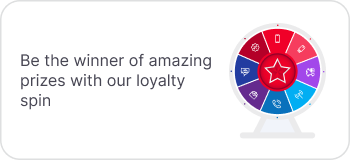
For smartphone users, the My Roshan app is the simplest and most complete option. From a single screen you can check your balance and real-time data usage, subscribe to internet and call plans, top up, manage multiple accounts, share credit, switch languages, and join the Roshan Loyalty Spin. Because everything is visual, you avoid memorising codes — useful when bundles and offers change. The app is available free on the Apple App Store and Google Play; search for “My Roshan” and sign in with your Roshan number.
How to check your Roshan balance
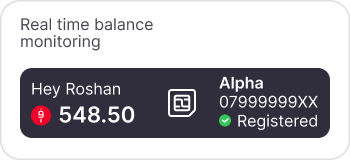
You can check your remaining credit in two ways. In the My Roshan app, your main balance appears on the home screen as soon as you sign in. Without the app, dial *444# USSD code from your phone and read the amount from the pop-up menu. The app additionally separates your main credit from any bundle allowances, so you can see voice, SMS and data balances at a glance rather than a single figure.
How to buy an internet or call bundle
To subscribe in the app, open the bundles or internet section, choose a daily, weekly or monthly plan, and confirm payment from your balance. To subscribe by USSD, dial the 555# or 888# short codes and follow the menu to pick a package. Not sure which plan to choose? Our Roshan internet packages guide breaks down daily, weekly and monthly options by how much you use.
How to share credit with another Roshan number
Credit share lets you send balance to another Roshan user — handy for family members who have run out. In the My Roshan app, use the credit-share feature, enter the recipient's Roshan number and the amount, and confirm. By USSD, dial the *123# code and follow the prompts. Transfers are typically subject to per-transaction and daily limits set by Roshan, so very large amounts may need to be split or topped up instead.
How to check real-time data usage
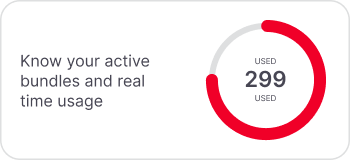
One advantage of the app over codes is live usage tracking. Open the usage section of My Roshan to see how much of your bundle remains and when it expires, so you can avoid surprise slowdowns or extra charges. If you regularly run out before the period ends, that is a sign to move up to a larger weekly or monthly bundle.
How to top up your Roshan number
Topping up adds credit so you can buy bundles or pay for calls. You can recharge in several ways: enter a scratch-card code through the My Roshan app or a USSD top-up code, recharge electronically at any authorised Roshan agent or store, or ask a family member to send you a balance with credit share. After topping up, your new balance appears immediately on the app home screen, and you can use it straight away to subscribe to a daily, weekly or monthly internet package. If a recharge does not appear, wait a moment and refresh the app before contacting support, as electronic top-ups occasionally take a short time to post.
USSD codes vs the app: which should you use?
Use USSD when you have a basic phone, no data, or just want a quick balance check. Use the My Roshan app when you want the full picture — usage tracking, multiple accounts, offers and the Loyalty Spin. For anything you cannot resolve either way, staff at a Roshan store can help in person.
Frequently asked questions about Roshan codes and the app
How do I check my Roshan balance without the app?
Dial Roshan's balance-check USSD short code from your phone's dialler and read the balance from the pop-up. This works on any handset without an internet connection. The current code is shown in the app and on Roshan's FAQ page.
Is the My Roshan app free to use?
Yes, the app is free to download and use on the App Store and Google Play. You sign in with your Roshan number to manage balance, bundles, usage and credit sharing.
Can I share credit with another network?
Roshan credit share works between Roshan numbers. To send money more broadly, consider mobile money or top-up services rather than on-network credit transfer.
Why did my bundle run out early?
Background app updates, video streaming and hotspot sharing use data quickly. Check real-time usage in the My Roshan app, and if you often run out, move to a larger weekly or monthly package.
Do USSD codes use my data balance?
No. USSD runs over the signalling network, so checking balance, buying bundles or sharing credit by short code does not consume your data allowance.
Where can I find the latest Roshan short codes?
Short codes can change, so confirm the current ones inside the My Roshan app or on the official Roshan FAQ page rather than relying on older lists.